I wanted something for my family to play on Christmas Day. Normally I create a quiz PowerPoint: four or five Christmassy categories with a few questions in each. But this year, I wanted to switch it up. So I decided to put my Python skills to good use and create a program. I’ll be referencing the program for the rest of this article, so it might be a good idea to open the GitHub repo so you know what I’m talking about! Check it out here.
The program is split into two main sections: the client and the server. Let’s break it down into each of these sections.
Client
The client is developed in tkinter. See below for the interface.
Lobby
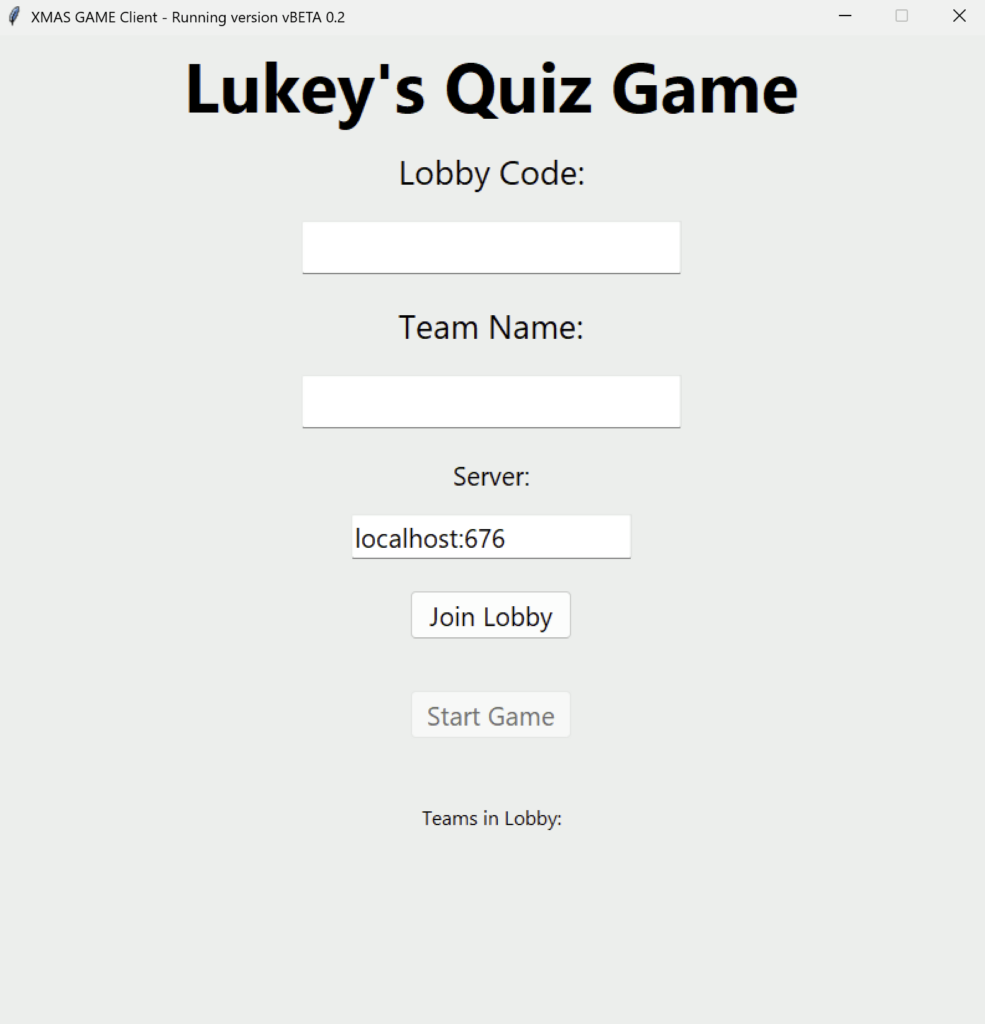
The lobby screen gives the user options to enter a lobby code, team name and server address. Once entered, the user can press ‘Join Lobby’ to, believe it or not, join the lobby! Then, as long as at least one person is in the lobby, the game can be started. After giving the application for users to use, I realised I needed to add a whole bunch of validation to these fields (e.g. ensuring each of the fields have content before joining the lobby) to prevent the program from freezing and needing restarting. All teams that are currently in the lobby are displayed under the ‘Teams in Lobby’ label.
Websockets
The foundations of both the lobby and game are websockets. Originally, I intended the game to be created using a traditional ‘request and response’ model, but this started to get far too complex. So, just a week before I intended the game to first be played, I decided to scrap that logic and learn websockets to rewrite it! This proved a challenging yet important decision, and I really think it made the whole experience better in the end. The lobby and game screens both have their own subroutines for polling incoming messages from the server as different messages are expected during these two distinct phases.
Game
The game, at the time of writing, has three different gamemodes. Lets break them down one by one…
Quiz
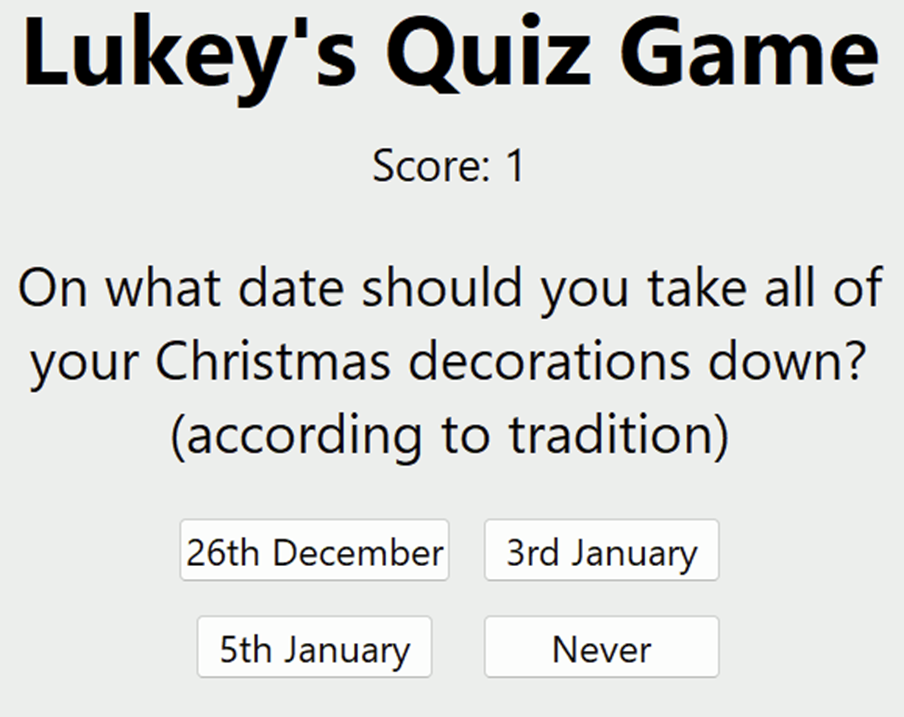
A standard, multiple choice question. The question is displayed above the four answer boxes. If the user gets the correct answer, the score increments and the next question is displayed. If they get it wrong, the score stays the same, the correct answer is indicated and the next question is displayed.
Who Am I?
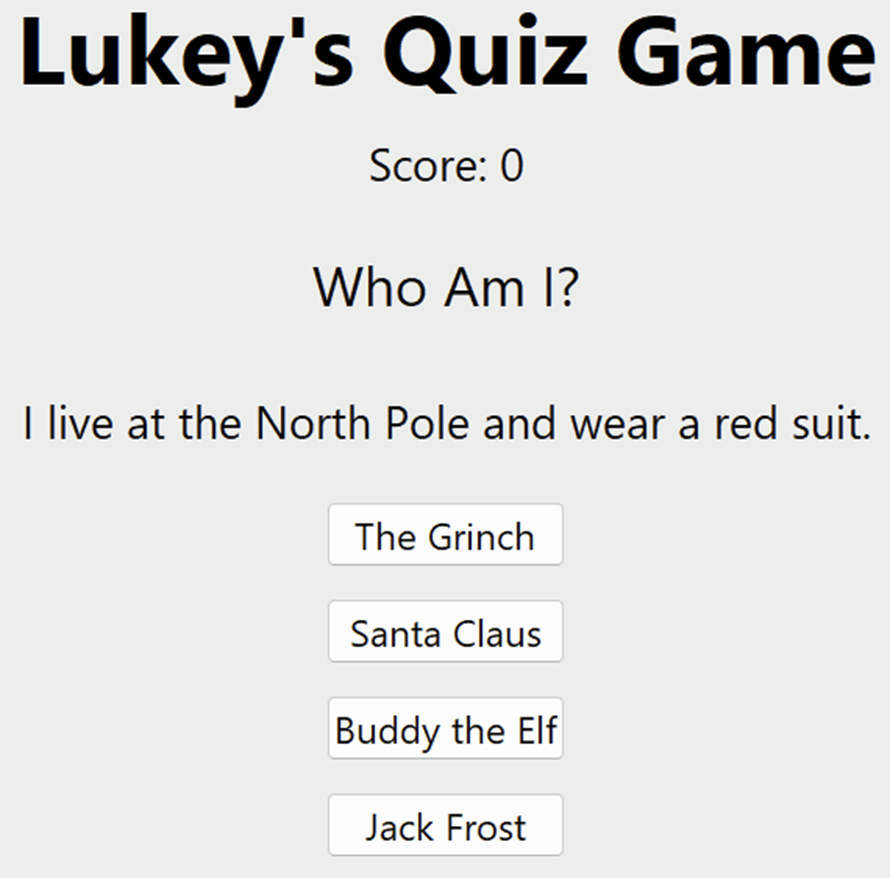
Uses very similar logic to the quiz, except I forgot to change the buttons to be displayed in a 2×2 grid, rather than a single column.
Charades
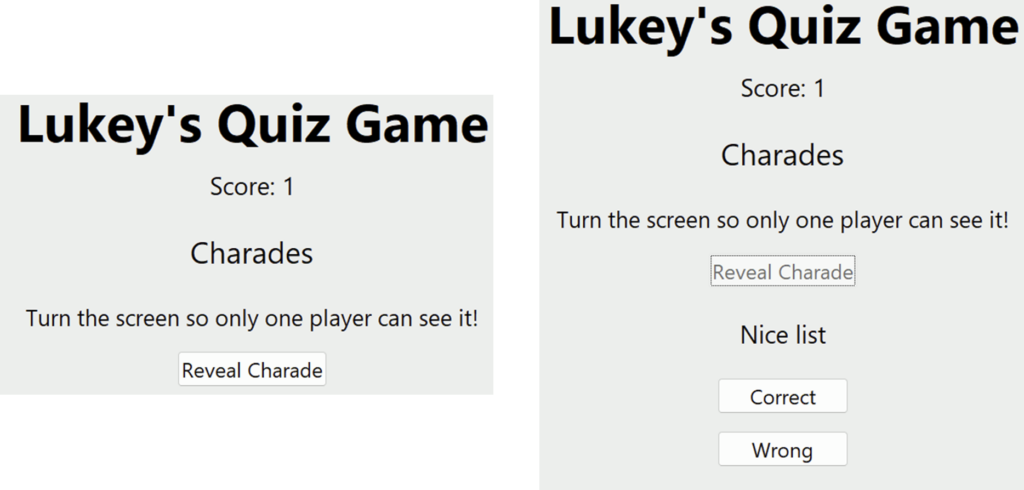
As this game was to be played in-person, I was able to add charades. One player took the device to reveal the charade and then acted it out to the best of their ability! We had some… interesting acting going on! The correct and wrong buttons work in the same way as correct and incorrect answer buttons in the multiple choice.
Rounds
The game has four rounds, each lasting 90 seconds with a 2min break between each. These caused the most glitches on the day, but I eventually managed to get them ironed out. Just see this GitHub issue! After the final round ends, the scores are displayed. These should definitely have been in sorted order, so this can go on the list of future improvements.
Server
The server is written again in Python, using FastAPI. It worked very well and I had very little problems with it! The server is responsible for generating the questions, calling round ends, keeping tally of scores, etc. The questions themselves are stored in JSON files under their respective gamemodes, and I wrote a small handler program to fetch questions as required.
Conclusion and Future Improvements
Overall, I’m pleased with this project considering the short turnaround I gave myself. It worked (for the most part) as intended and I feel can be used as a solid foundation for me to build on in the future. Speaking of the future, some improvements and changes I wish to make are…
- Sorted scores displayed
- Timers on game and round end screens
- Leave lobby button
- Return to menu button once game has ended
- Web-based UI
- Non-festive questions for other times of the year
Thanks for taking the time to read this article. Maybe give the quiz a go and let me know some of your own feedback!